


WeatherGuide: Forecast & Radar
4.77.00 Reviews
App Specs
- Version
- 1.1.2
- Updated On
- License
- Free
- Downloads
- 10,000+
- Developer
- MacroSmart Tech
- Categories
- Weather
- Platform
- Android
Screenshots
 Analysis by AppCompare
I like weather apps that answer a simple question quickly: can I leave the house as I am, or do I need to change plans? WeatherGuide: Forecast & Radar is built around that practical decision. It is a free weather app from MacroSmart Tech, with radar and AI presented as part of the experience rather than as decorative extras. After using it, I found its strongest appeal in the short moment between checking the forecast and walking out the door.
That focus makes it easier to recommend to someone who does not want to study a wall of meteorological information. At the same time, it is worth approaching it realistically. A weather app can only be as useful as the location, connection, and forecast context behind what it shows. The most satisfying experience comes from treating WeatherGuide as a quick planning companion, then checking the details that matter before a longer trip or a weather-sensitive activity.
Getting WeatherGuide ready without unnecessary frustration
The first useful habit is to make sure the app is looking at the right place before judging its forecast. Location-based weather tools can feel inaccurate when they are actually displaying a nearby town, a previously selected area, or a broad regional forecast. I would begin by checking the location shown in the app and confirming that it matches the place where I am standing or the place I intend to visit.
This matters especially for people living outside dense urban areas. A forecast that looks reasonable for a city center may not describe a nearby suburb, hillside, coastline, or rural road very well. When I am preparing for a commute, I would check both the current location and the destination rather than assuming that one reading covers the whole route.
Connection quality is another early check. Radar imagery and current conditions are more demanding than a simple text forecast, so a slow or unstable connection can make the app appear stuck or incomplete. If the radar view takes time to load, I would first switch between a reliable Wi-Fi connection and mobile data, then reopen the screen. That is a more useful first step than repeatedly tapping the same control.
The app runs on Android versions from 9 onward, which gives it a reasonably broad audience. On an older phone, I would keep expectations practical: the basic forecast may remain comfortable to use, while map movement or visual layers may feel less fluid than on newer hardware. That difference does not automatically mean the forecast is wrong; it can simply be a display or loading issue.
WeatherGuide is rated for Everyone, so it is approachable for households that want a straightforward weather tool rather than something aimed at a specialist audience. I can see it working well on a shared family phone, where the main requirement is a readable answer before school, work, or errands. The important setup decision is not technical expertise but choosing the locations and viewing habits that match daily life.
Worth Reading Before You Choose

Flipboard Shows What News Apps Must Do Beyond the Feed

Switching to Android Auto Means Rethinking Your Driving Routine

Google Calendar Makes a Crowded Week Easier to Manage

Ludo King Makes the Most of the Minutes Between Plans

Baby Panda World Brings Quick Play to Modern Phones, but Its Game Library Feels Busy

ESPN’s Live Game View Makes Following Close Games Easier
What to check before trusting a quick answer
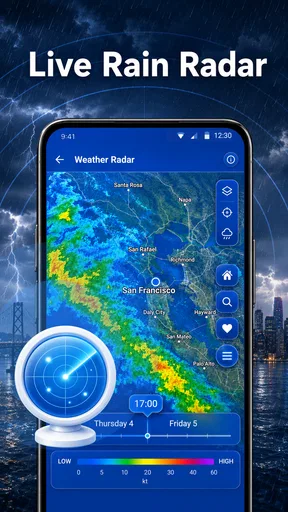
I would avoid making a decision from a single glance when the weather is changing quickly. First, look at the current conditions, then compare them with the nearby forecast period and radar movement. The radar can add useful visual context, but it should not be treated as a magic guarantee that rain will or will not reach one exact street.
A practical workflow is to use the app once before getting dressed and again shortly before leaving. The first check helps with broad preparation, such as choosing shoes or packing an extra layer. The second check is better for immediate decisions, particularly when clouds are building or showers are moving through the area.
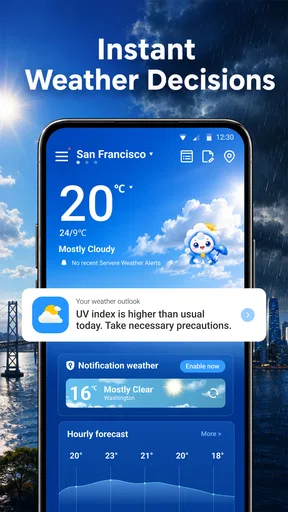
The AI element is most useful when I treat it as an interpretation layer. A plain forecast may show several pieces of information that are individually clear but not immediately helpful together. A concise recommendation can turn those details into a decision, such as whether an umbrella is sensible or whether a jacket would be more comfortable. I would still compare that advice with the visible forecast when the consequences of being wrong are serious.
The best setup is not simply installing the app; it is deciding what question you want it to answer. “What is happening right now?” is different from “What should I wear for the next few hours?” and different again from “Can I safely plan an outdoor activity?” WeatherGuide is naturally strongest at the first two questions.
Where people may get stuck during ordinary use
The most likely point of friction is expecting a radar screen to behave like a precise local prediction. Radar shows precipitation patterns and movement, but a small change in direction or timing can affect one neighborhood differently from another. I would use it to understand whether a weather system is approaching, passing, or clearing, not to promise an exact dry window down to the minute.
Another possible stumbling block is reading an AI recommendation without checking the conditions that produced it. If the app suggests carrying an umbrella, that does not necessarily mean continuous rain. It may be responding to a chance of showers or a period of unsettled weather. For a short walk, that advice may be sensible; for a full-day outing, I would inspect the broader forecast and plan for changes.
People can also become confused when the current sky does not match the forecast immediately. Weather changes gradually, forecasts cover areas rather than individual windows, and radar updates can lag behind what is visible outside. When that happens, I would compare the location, the forecast period, and the radar direction before concluding that the app has failed.
The app’s current version is 1.1.2, so I would keep it updated when a newer release becomes available through the relevant app store. Updating is a sensible general troubleshooting step if a screen behaves inconsistently, especially after an operating-system update. I would also close and reopen the app after a failed load instead of assuming that every problem requires changing phone settings.
Recovering a useful weather routine when something goes wrong
If the forecast or radar does not appear correctly, I would work through a simple recovery sequence. First, confirm that the selected location is correct. Next, check the connection by opening another ordinary page or app. Then return to WeatherGuide and give the radar a moment to load before switching repeatedly between screens. These steps separate a location problem from a temporary network or display problem.
If the app still looks incomplete, restarting it is the next reasonable move. On an older device, I would also close other demanding apps so the weather map has more room to load smoothly. This is not a guarantee of a fix, but it avoids blaming the forecast for a phone that is short on available resources.
When I need an answer quickly, I would not keep fighting a single screen. I would use the visible forecast information that has loaded, compare it with what is happening outside, and make a conservative decision. For example, if rain appears likely and the radar is unavailable, carrying a compact umbrella is a low-cost way to remove uncertainty. The point of a practical weather app is to support a decision, not to turn a small delay into a larger problem.
A useful recovery method is to change the question rather than repeat the same action. If the radar is slow, check the forecast wording. If the AI advice feels too general, inspect the time period behind it. If the current conditions seem wrong, verify the location. Each step uses a different source of context and helps identify whether the issue is loading, interpretation, or genuinely unsettled weather.
For travel, I would check the destination separately before leaving. A local forecast may be perfectly accurate for home while being irrelevant twenty minutes away. This is one of the easiest mistakes to make with any weather tool, and it is particularly important when the app is being used as an out-the-door guide rather than as a trip-planning system.
A realistic morning with the app
Imagine that I am leaving for work on a morning when the sky looks bright but the air feels cool. I open WeatherGuide before dressing and use the current conditions to avoid relying only on what I can see through the window. The AI guidance gives me a quick clothing direction, while the forecast helps me decide whether that advice is relevant for the whole commute.
Before walking out, I look at the radar. If a band of rain is approaching, I pack an umbrella even if the street is dry. If the rain is moving away, I may still take a light layer but avoid overreacting to a brief shower. That combination is more useful than using radar alone because it connects the visual pattern with the practical decision I actually need to make.
On the way home, I would repeat the check rather than assume the morning forecast still tells the whole story. This is especially helpful on days with changing conditions. The routine takes little effort, but it prevents a common mistake: preparing carefully once and then ignoring the later part of the day.
For parents, the same workflow can help with school runs. Check the destination rather than only the home location, use the radar for approaching precipitation, and treat the AI suggestion as a prompt to think about clothing or an umbrella. For cyclists and walkers, the app can be useful for deciding whether to leave now, wait briefly, or choose a different route, although I would not use it as the only source for safety-critical decisions.
When another weather source is the better choice
WeatherGuide is not automatically the best option for every weather question. If I need highly specialized information for aviation, marine travel, severe-weather monitoring, or a long outdoor expedition, I would choose a service designed around that activity. A general consumer app can be convenient without replacing specialist guidance.
I would also look elsewhere if my priority were extensive historical climate data, detailed agricultural planning, or a large collection of technical weather layers. WeatherGuide’s appeal is its directness: radar, forecast context, and AI-assisted interpretation aimed at everyday decisions. Someone who wants to explore many atmospheric variables may find that focus limiting.
On the other hand, many conventional weather apps bury the practical answer beneath dense charts, repeated alerts, or a crowded home screen. WeatherGuide makes more sense for someone who prefers a quick recommendation and a visual check. The trade-off is that simplicity can leave less room for deep customization or specialist analysis.
The free price is a meaningful advantage for casual users. I can install it without making a financial commitment and decide whether its way of presenting conditions fits my routine. Its average rating is 4.7 from around 370 ratings, and the app has passed 10K installs, which suggests that it has found an audience while still being a relatively small product rather than a universally established weather platform.
That smaller scale does not make it a poor choice, but it does shape my expectations. I would use it because the workflow is convenient, not because popularity alone proves that every forecast will suit every location. Weather is local and variable, so personal testing over several ordinary days is more informative than relying on a rating number.
When the app is not the cause of the problem
Sometimes the forecast seems wrong because conditions are changing faster than a broad prediction can express. A shower can form or fade between updates, and two nearby places can experience noticeably different weather. Before deciding that WeatherGuide is at fault, I would check whether the selected location, time period, and visible radar pattern actually match the situation I am evaluating.
Phone settings can also affect the experience. A restricted connection, aggressive battery management, or an overloaded device may delay map content or prevent a screen from refreshing normally. I would review those general conditions only after checking the location and connection, because changing several settings at once makes it harder to understand what fixed the problem.
There is also a human factor. If I ask the app whether I need a jacket, I am asking for a recommendation based on conditions, not a personal guarantee of comfort. Someone who feels cold easily may want an extra layer even when the forecast suggests mild weather. Someone walking only from a car to a building may accept more risk than someone spending an hour outside.
This is where the app’s AI guidance should be used thoughtfully. It can make weather information easier to act on, but I remain responsible for adjusting the advice to my activity, clothing, health, and tolerance for inconvenience. The more unusual the situation, the less I would rely on a one-line recommendation.
Who will get the most from WeatherGuide
I think the app suits commuters, families, casual walkers, and anyone who checks the weather mainly to decide what to wear or carry. It is particularly appealing if conventional weather apps feel too busy. The combination of radar and plain-language guidance gives a quick path from “what is happening?” to “what should I do?” without requiring much weather knowledge.
It is also a sensible starting point for people who have never used radar. The visual layer can teach users to look beyond the current temperature and notice whether precipitation is approaching or clearing. I would encourage new users to spend a few days comparing the radar with the sky outside; that builds better judgment than simply trusting a colored map immediately.
I would hesitate to recommend it as the only weather resource for people whose work or safety depends on detailed, specialized forecasts. Outdoor professionals, travelers crossing several regions, and anyone planning around dangerous conditions may need more technical information and a second source. WeatherGuide can still be a convenient first check, but it should not carry the entire responsibility.
My overall impression is positive because the app understands a real everyday need. It does not require me to become a weather enthusiast before I can use it. The most valuable habit is to combine its quick AI guidance with the forecast period and radar, then confirm the destination when I am traveling.
MacroSmart Tech has positioned this as a practical weather app rather than a complicated analysis tool, and that distinction is important. The free access, Everyone age rating, and support for Android 9 and newer make it easy for a broad range of users to try. I would install it for daily planning, keep another source available for unusual or high-stakes conditions, and judge it by how consistently it helps me make small decisions.
My verdict: WeatherGuide is a useful out-the-door companion when speed and clarity matter more than deep weather analysis. Its radar adds context, its AI can turn forecast details into an understandable suggestion, and its straightforward purpose makes it easy to fit into a morning routine. The main trade-off is that convenience should not be confused with certainty. Check the location, give radar movement some context, recover calmly when a screen loads slowly, and use a specialist source when the situation demands more than everyday guidance.
Pros
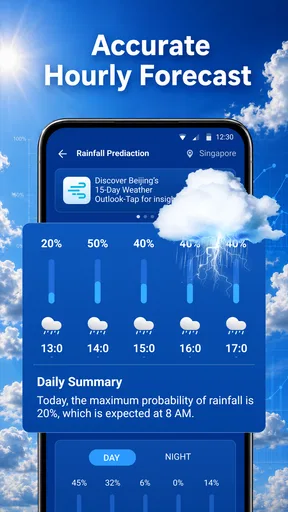
- Clear hourly and daily forecasts for quick planning.
- Radar maps help track approaching rain and storms.
- Useful weather details such as wind
- humidity
- and visibility.
- Clean interface makes key conditions easy to find.
- Supports weather checks for multiple saved locations.
Cons
- Some advanced radar or forecast tools may require a subscription.
- Forecast accuracy can vary considerably by location.
- Frequent location updates may increase battery consumption.
- Advertising may interrupt the experience for free users.
- The app depends on an internet connection for current data.
FAQs for WeatherGuide: Forecast & Radar
What is WeatherGuide: Forecast & Radar used for?
WeatherGuide: Forecast & Radar is designed to help users check current conditions, hourly changes, and upcoming forecasts in one place. It may also provide radar-style weather visualization, temperature details, precipitation information, wind data, and other useful indicators. The app is particularly helpful when planning commutes, outdoor activities, trips, or daily routines that depend on changing weather conditions.
How accurate are the forecasts and radar information in WeatherGuide?
Weather forecasts are based on meteorological data and prediction models, so WeatherGuide can be useful for general planning, but it should not be treated as a guarantee. Accuracy usually depends on your location, forecast range, local conditions, and the quality of available weather data. Short-term forecasts are generally more reliable, while longer-range predictions can change as new information becomes available.
Does WeatherGuide: Forecast & Radar require location access?
The app may request location permission to automatically identify your current area and display relevant local forecasts. You can usually choose whether to allow precise or approximate location access, depending on your device and operating system. If you prefer not to share your location, you may be able to search for cities manually, although some automatic features and location-based alerts may not work as conveniently.
Can WeatherGuide send severe weather alerts and notifications?
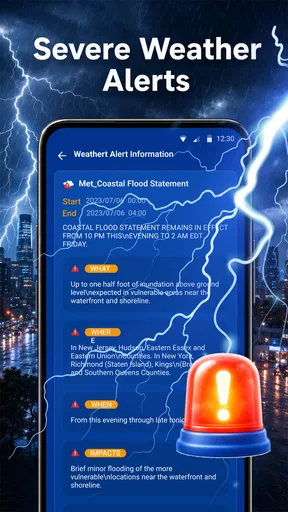
WeatherGuide may support notifications for forecast updates, rain, storms, temperature changes, or other weather events, depending on the features available in your version and the region where you live. Notifications must be enabled in both the app and your device settings. For serious emergencies, users should also rely on official government alerts and local emergency services rather than using the app as their only warning system.
Is WeatherGuide: Forecast & Radar free to download and use?
WeatherGuide: Forecast & Radar may be available to download at no initial cost, but certain features can depend on the app’s current business model. Some versions may include advertising, optional subscriptions, or in-app purchases for enhanced radar views, extended forecasts, fewer advertisements, or additional tools. Before downloading or subscribing, review the store listing and payment details to understand what is included.


